Using Pi-hole as local NTP server


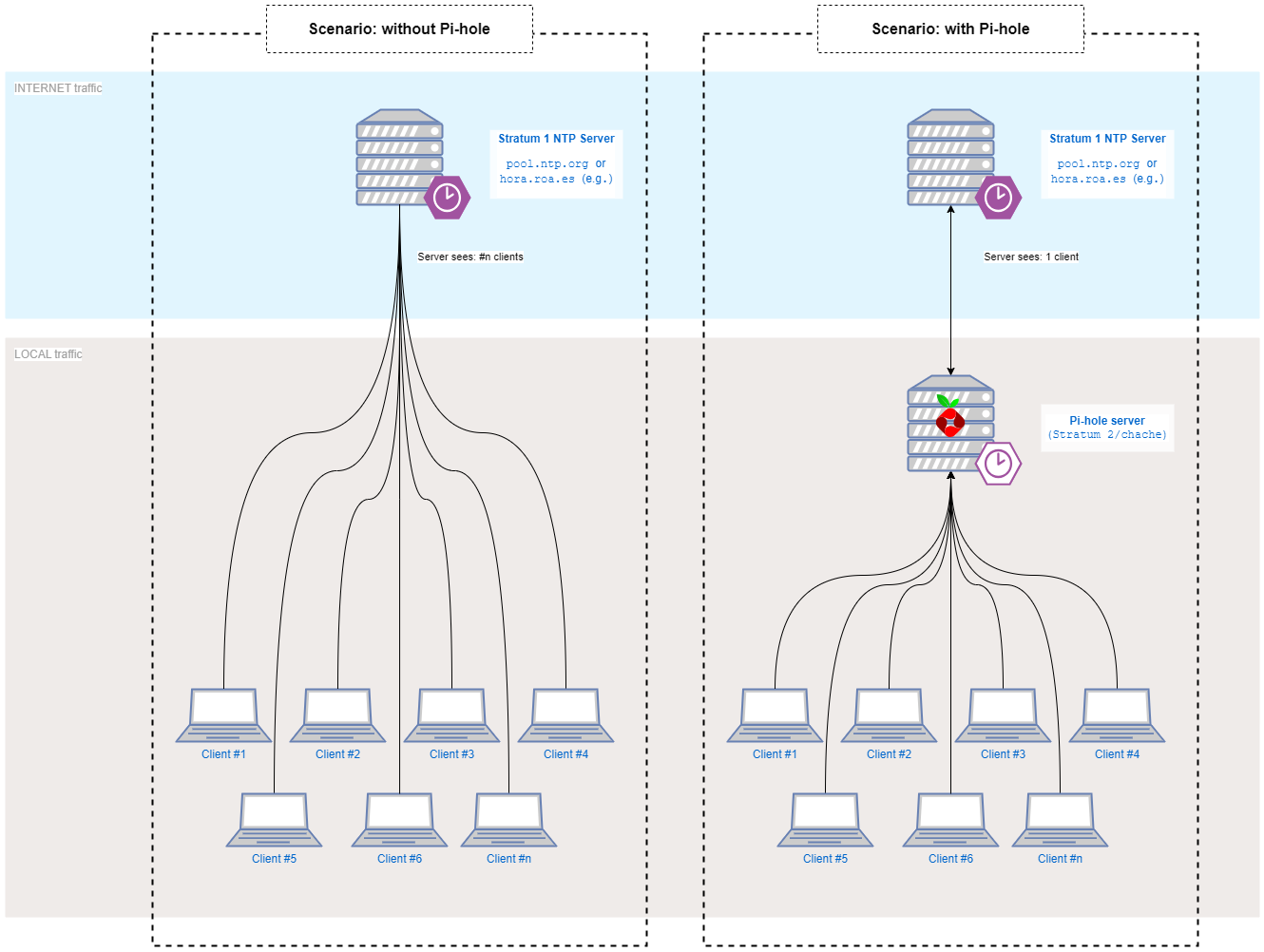
We can think about the Pi-hole as a local NTP cache. Or, more RFC2030-compliant, a lower stratum NTP server. In our home scenario, the added delay (much lower than a second) is almost negligible.
On the other hand, thinking about the common good of the Internet (and also on the NTP server admin team & service), having a NTP cache is a really efficient, as the stratum 1 server only receive request from one device (Pi-hole server) instead of all the devices that you have (can be tens of them).
On the following diagram can be seen graphically:
Activating Pi-hole's NTP server
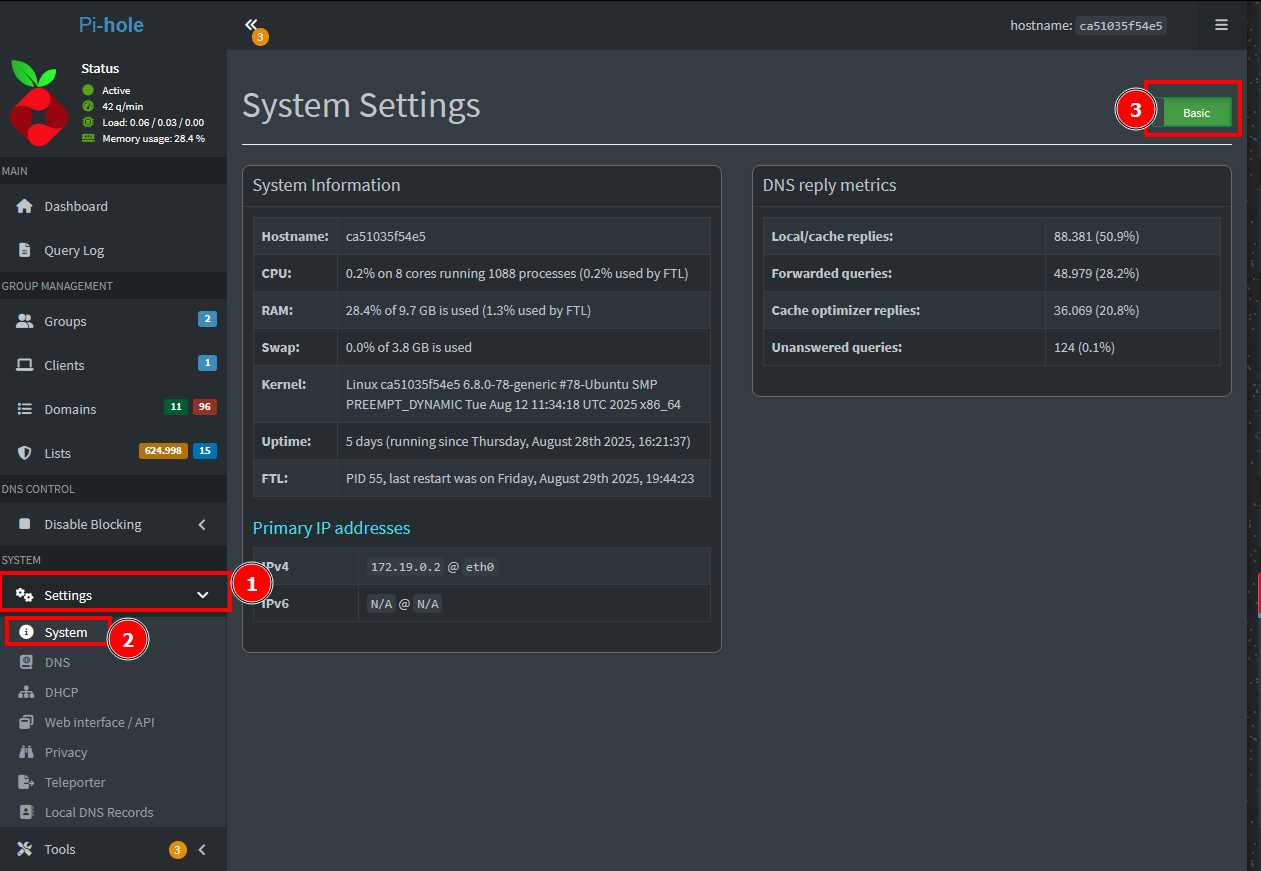
On the Pi-hole admin panel, we've to activate Expert settings, clicking on the toggle on the top right corner of the Settings > System page.
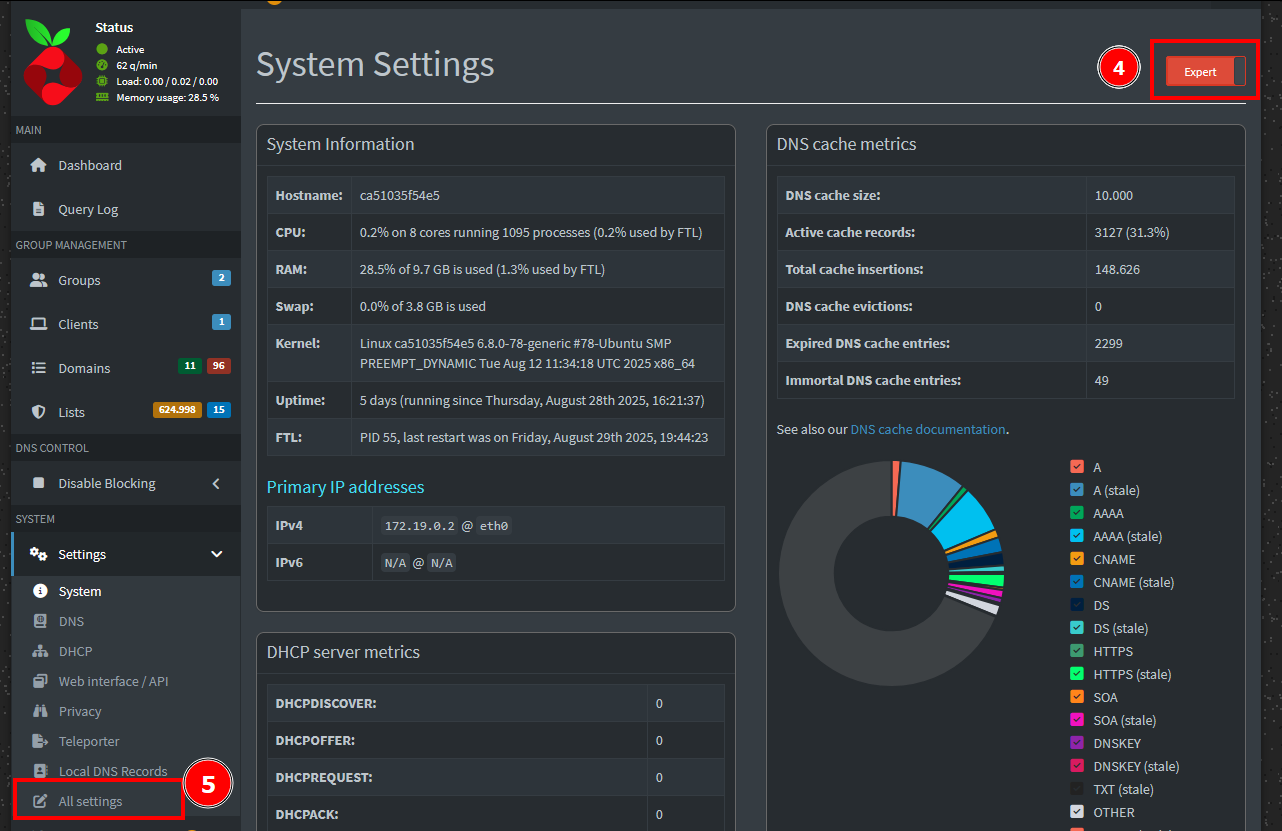
After doing so, a new option appears on the Settings submenu (marked as 5 on the capture below):
Setting upstream NTP server
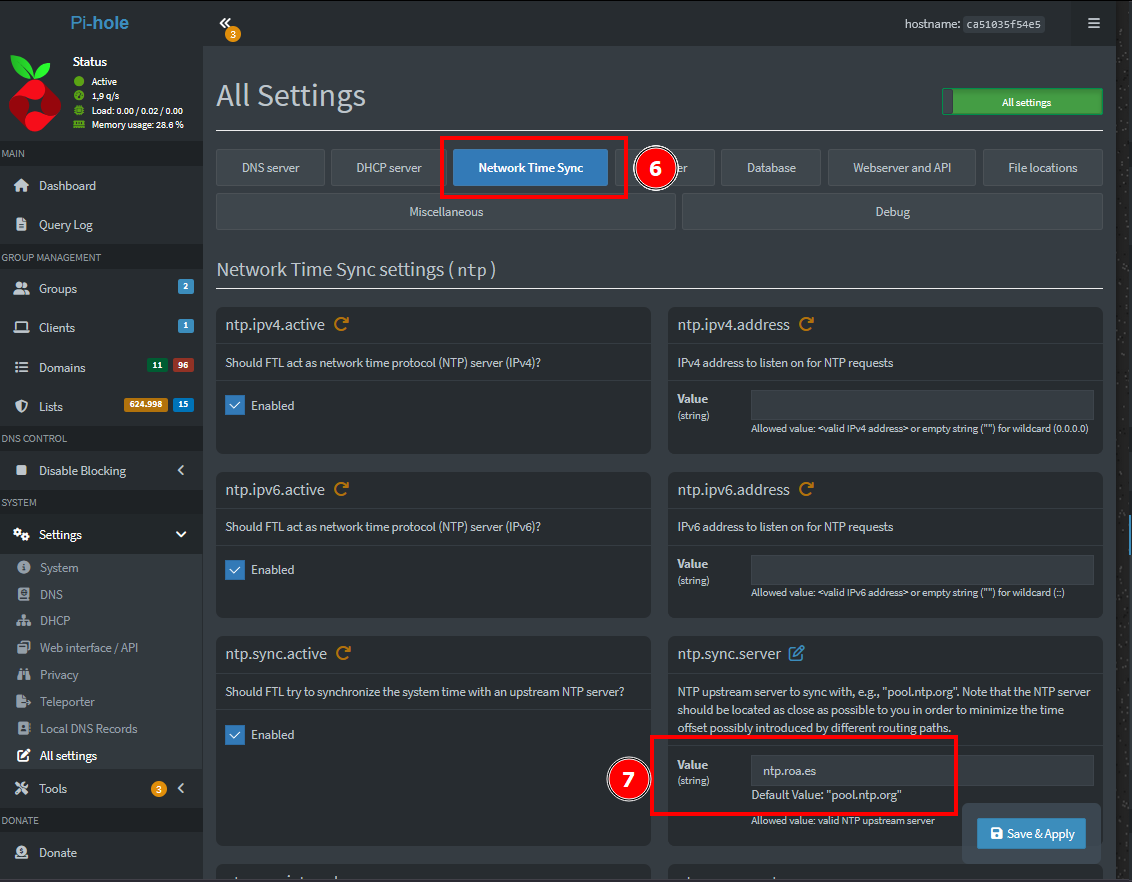
As I've stated before, here in Spain the official time is distributed by the Army Royal Observatory (ROA, Real Observatorio de la Armada), so to configure Pi-hole to query this Stratum 1 server, we must set the following option/variable [6 on the following image]:
Configure clients:
It's recommended to set the DHCP options, if available, as it's practical. The problem is that most of the clients ignore this option to choose the one hardcoded or default (time.windows.com on Windows, for example).
So to set the Pi-hole as NTP server for local clients, just follow the instructions on Windows or Linux.
Any doubts?
Do not hesitate to contact me with any questions, suggestions, complaints or clarifications you may have, I'll be happy to talk to you!